1. Go to https://basescan.org/nft/0x4516a5d613c30a36d157d3b579813734cbb929a4/6566 but replace the last four digits "6566" with your own NFT number
2. Connect MetaMask with the account that currently owns the NFT
3. Click NFTs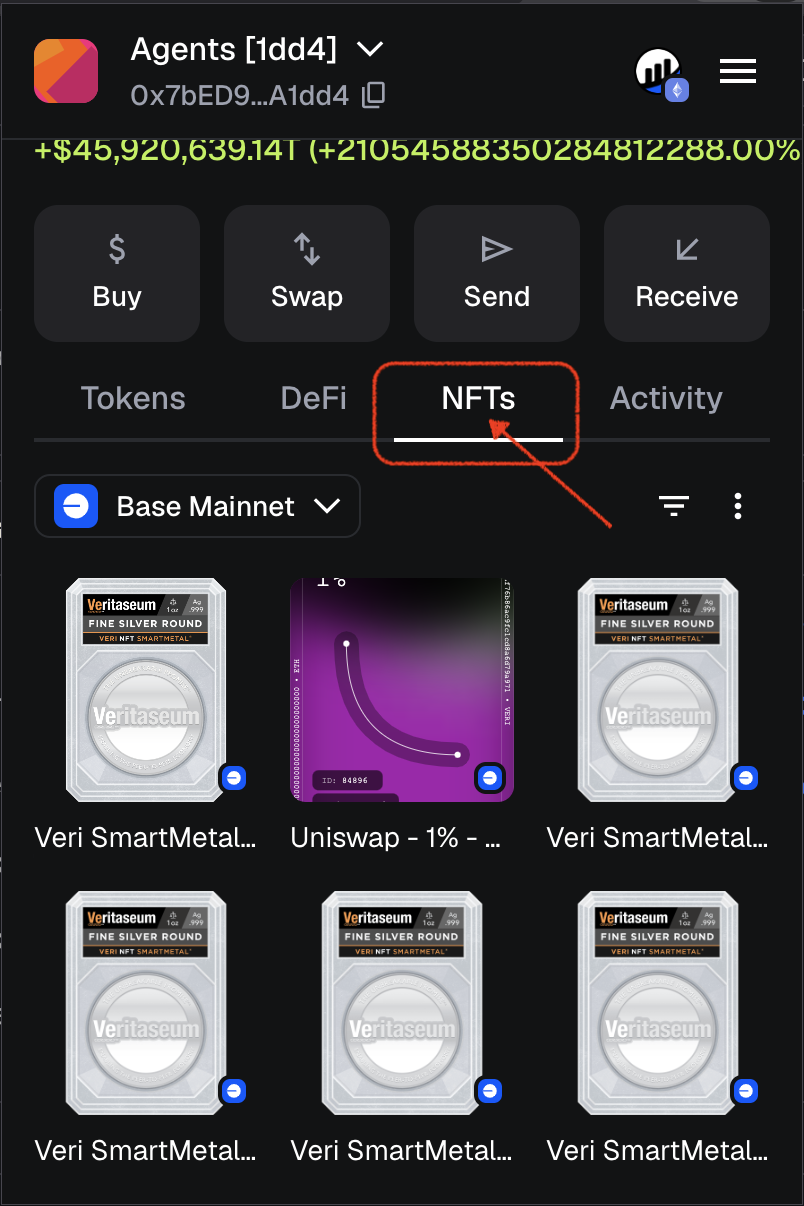
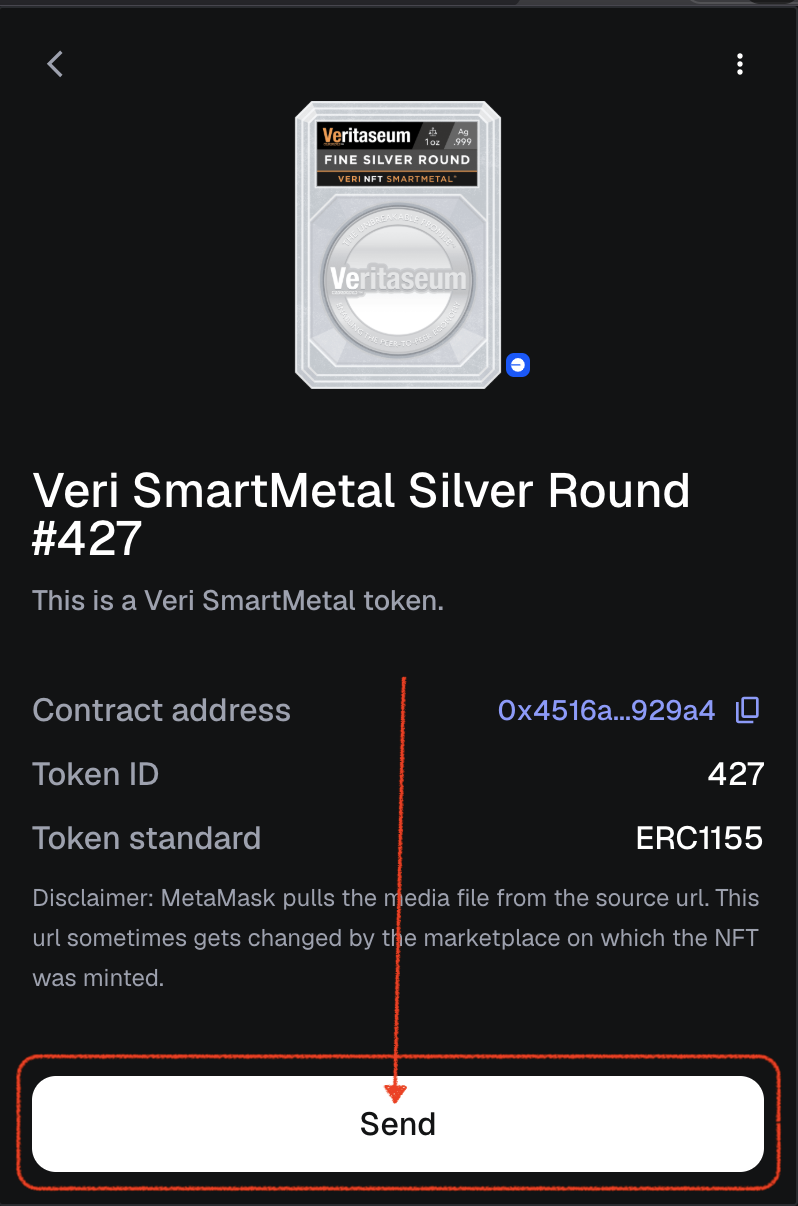
4. Click Send
5. Paste "to" wallet address that you want to send the NFT to
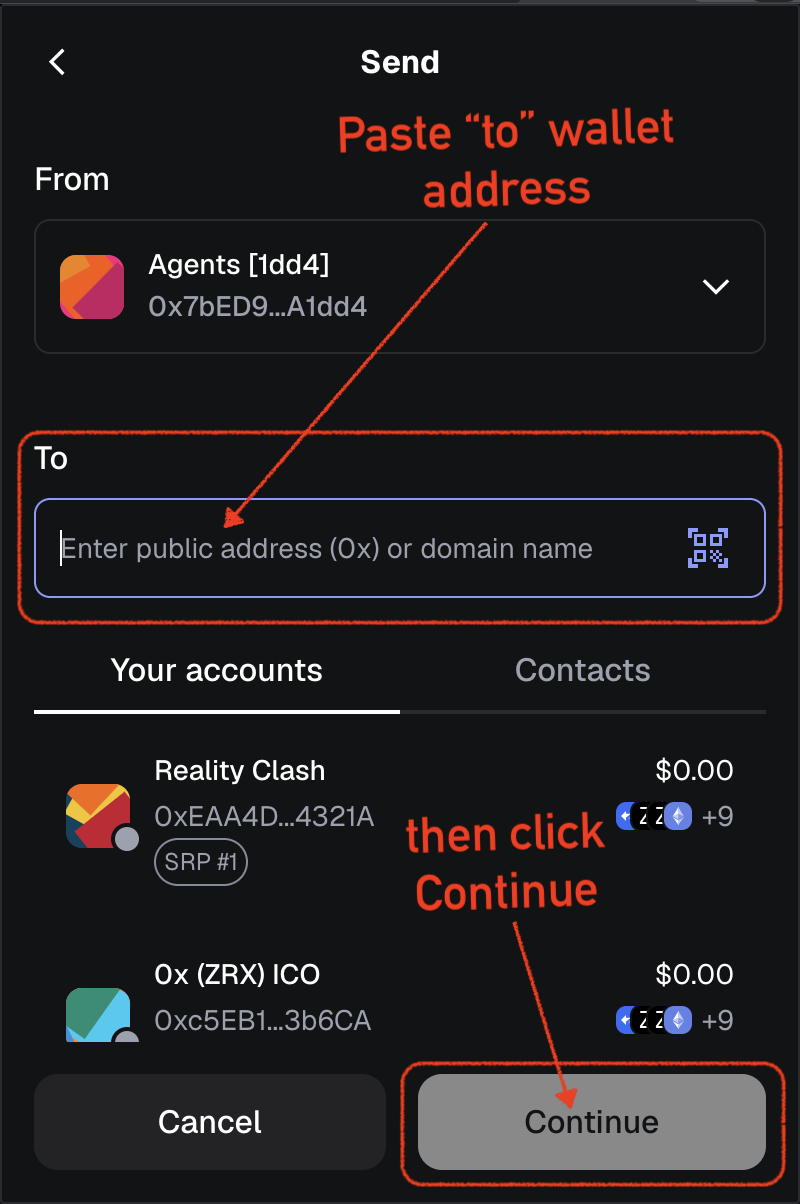
6. Click continue and follow the MetaMask prompts
Was this article helpful?
That’s Great!
Thank you for your feedback
Sorry! We couldn't be helpful
Thank you for your feedback
Feedback sent
We appreciate your effort and will try to fix the article