MetaMask recently updated their browser wallet to change how networks (chains) are selected. Before the update, one network was active at a time. After the change, multiple networks can be active. Before activating your NFT, be sure to deactivate the Ethereum Network as follows:
- Ensure you have MetaMask 13.3.2 or higher.
If not, upgrade to latest version.
a. 3-bar (hamburger) menu in upper right corner
b. Settings
c. About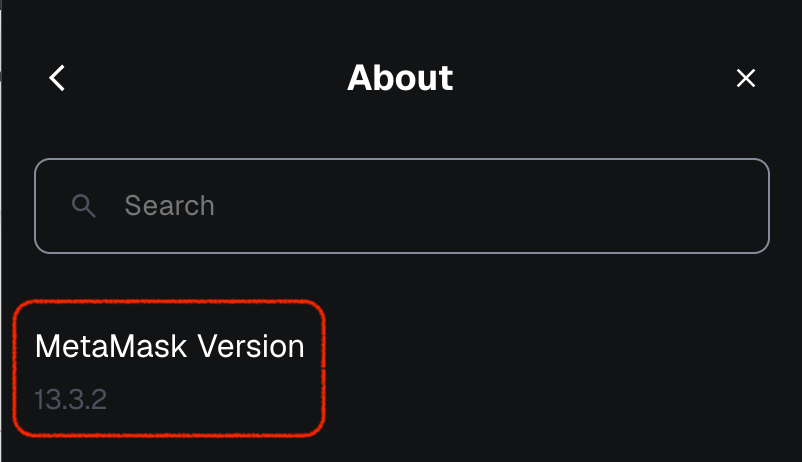
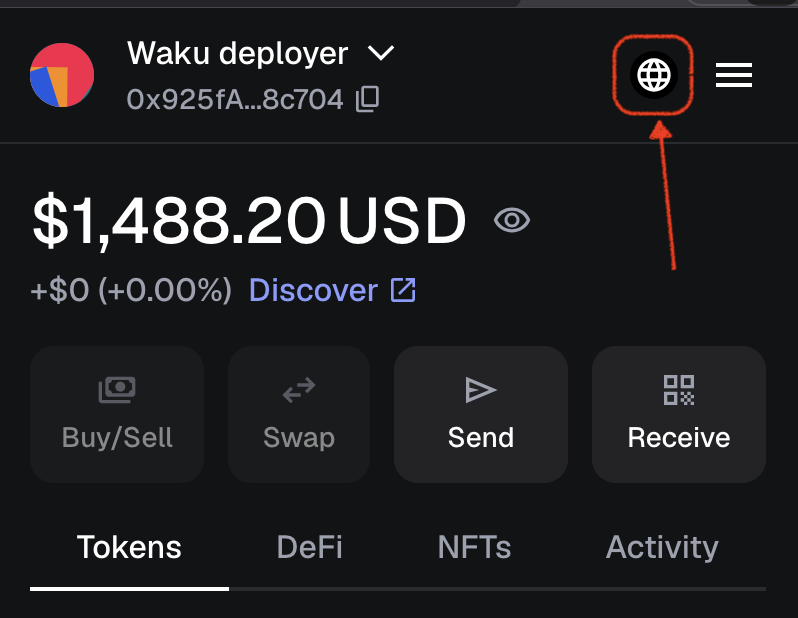
- Click the Globe icon in the upper right corner
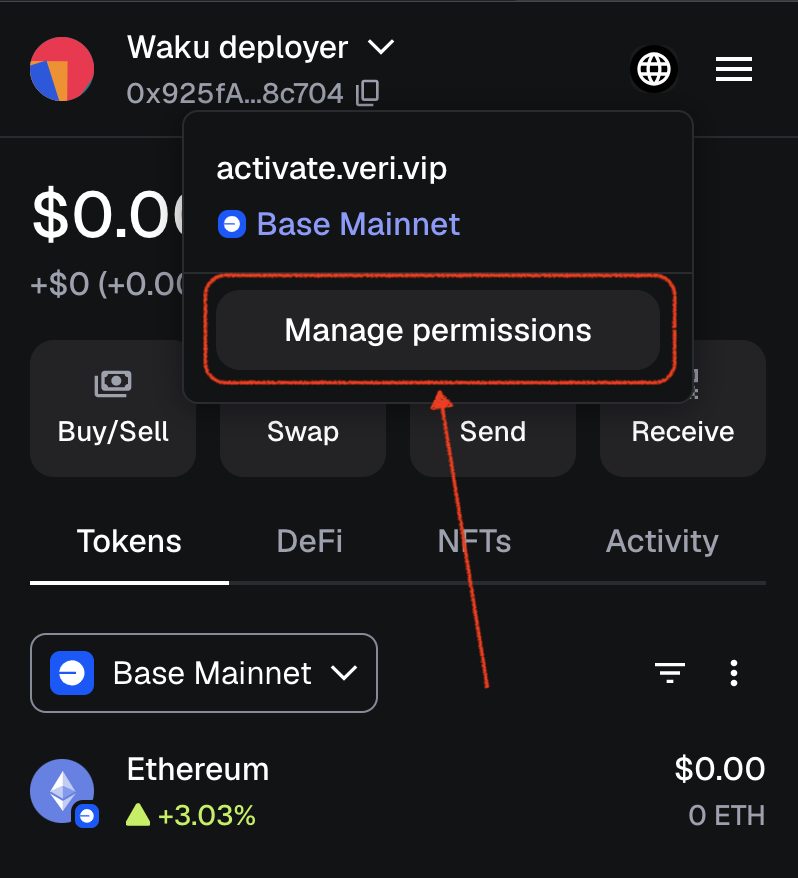
- Click Manage permissions
- Click lower Edit button
Use your enabled networks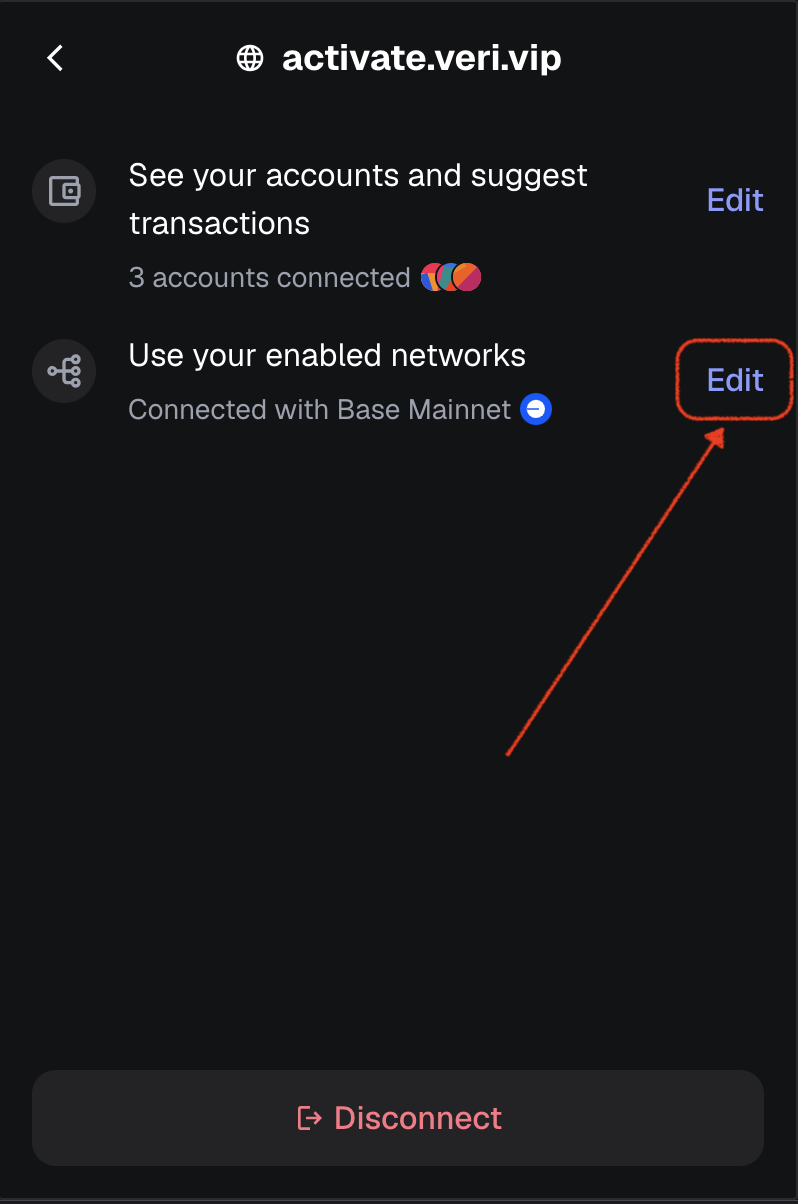
- Select Base
Ensure all others are deselected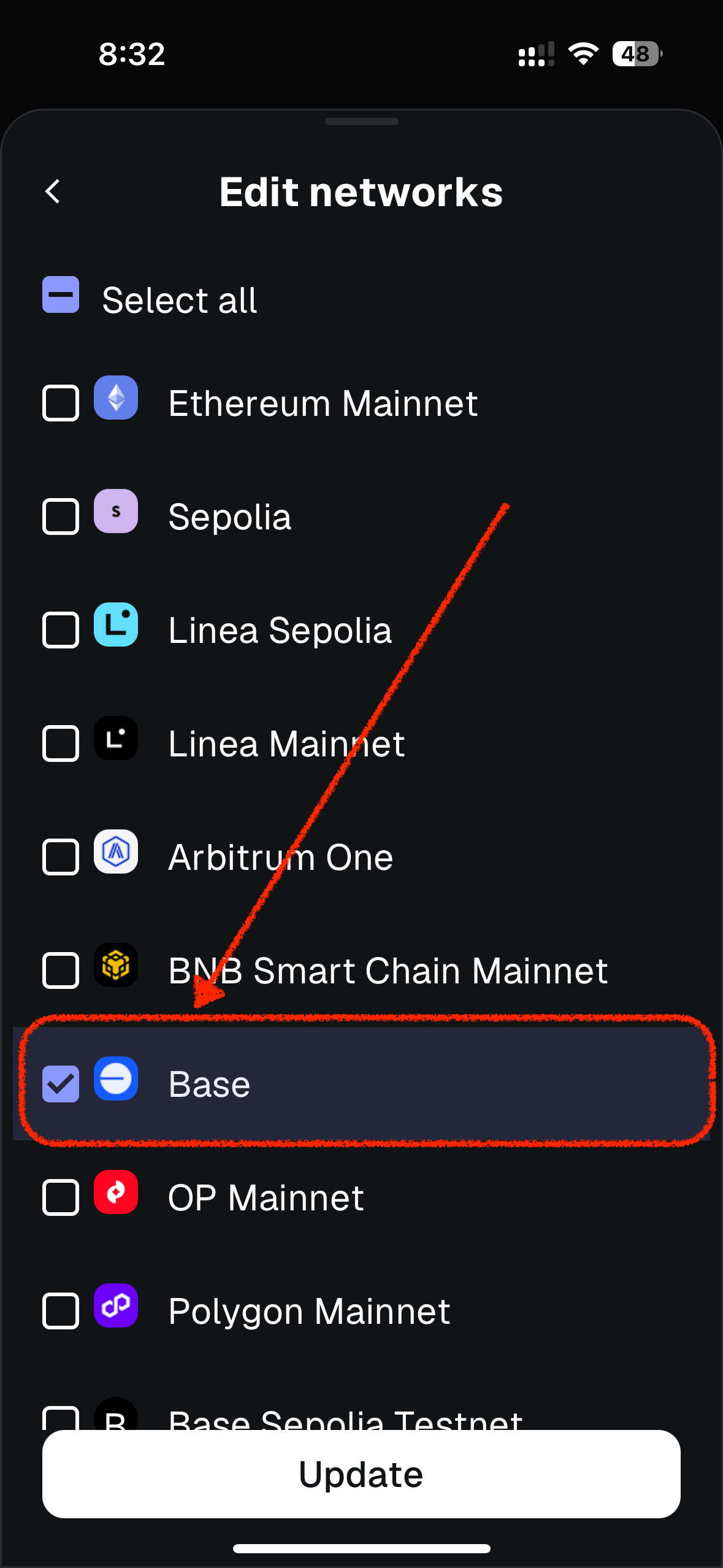
- Click Update
MetaMask Desktop
Version 13.3.2
Was this article helpful?
That’s Great!
Thank you for your feedback
Sorry! We couldn't be helpful
Thank you for your feedback
Feedback sent
We appreciate your effort and will try to fix the article